TikTok isn't slowing down. With over 2 billion monthly active users and an algorithm that rewards creativity over follower count, it's still the single best platform for organic reach in 2026. But the creators who are winning on TikTok right now aren't spending hours in editing suites — they're using AI.
I've been deep in the AI video generation space for over a year now, and the tools have gotten genuinely good. Not "impressive for AI" good — actually good. The kind of good where you can't tell the difference between AI-generated footage and something shot on a professional camera.
But which tools are actually worth your time for TikTok specifically? That's the question I set out to answer. I spent two weeks testing over 20 AI video generators, utilizing creative suites like AI Canvas, and running the same prompts, scripts, and creative briefs through each one to see which delivered the most TikTok-ready output.
Here are my 7 best AI video generators for TikTok in 2026, starting with TopView AI!
TopView AI is the best AI video generator for TikTok, offering access to industry-leading AI models like Seedance 2.0, Veo 3.1, Kling 3.0, and Sora 2 — all in a single platform. It generates original AI footage (not stock clips), handles text-to-video, image-to-video, and even viral video cloning. Other solid options include Dreamina AI for free cinematic clips, Veed AI for UGC-style content, and Adobe Firefly for commercially safe B-roll.
Why AI Video Generators Matter for TikTok in 2026
TikTok's content landscape has shifted dramatically. The platform is no longer just dance videos and lip-syncs — it's product reviews, educational content, storytelling, news commentary, and full-blown mini movies.
Here's the reality of creating TikTok content in 2026:
-
Volume wins: The algorithm rewards consistent posting. Creators publishing 3-5 videos per day consistently outperform those posting once a day, even with lower individual video quality.
-
Visual quality expectations are rising: Audiences have gotten used to high-production content. Blurry phone footage with bad lighting doesn't cut it anymore in most niches. For brands and creators who need true cinematic polish especially commercials, music-video-style pieces or original brand films, partnering with a specialized AI video agency can take generative output to a Hollywood-standard level that pure tool-based workflows still struggle to match consistently.
-
Time is the bottleneck: The biggest challenge isn't ideas — it's production speed. From scripting to filming to editing, a single TikTok can eat up 2-4 hours of manual work.
-
AI closes the gap: The best AI video generators now produce content that's indistinguishable from professionally shot footage. They handle scripting, visual generation, voiceovers, captions, and formatting in minutes.
According to Statista's 2026 Creator Economy Report, 68% of full-time TikTok creators now use at least one AI tool in their content workflow. The question isn't whether to use AI — it's which tool to use.
Best AI Video Generators for TikTok: At a Glance
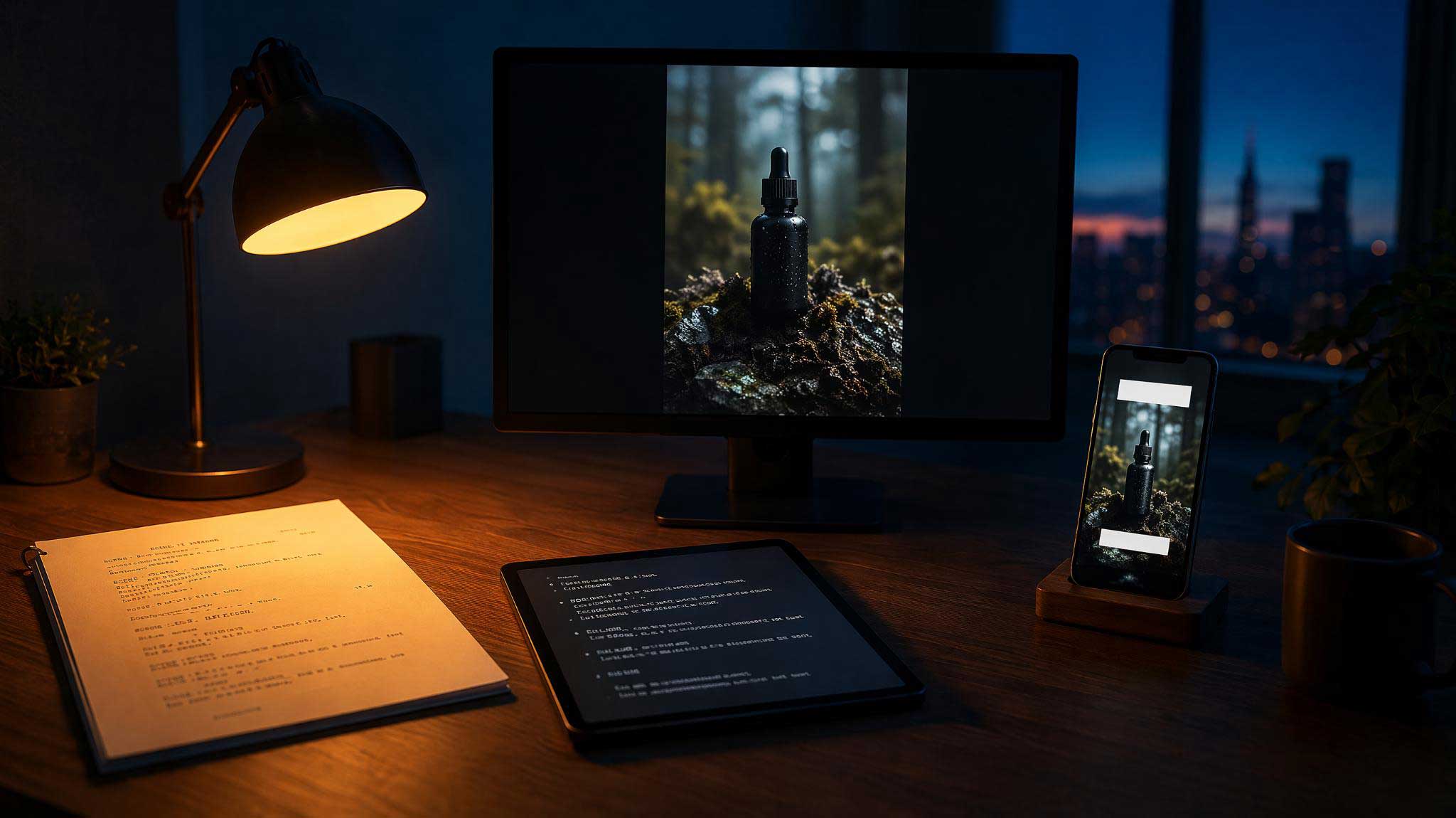
I evaluated every tool on video quality, TikTok-specific features (vertical formatting, captions, hooks), creative control, speed, and pricing. Here's the summary:
|
Tool |
Best For |
Pricing |
Strengths |
Weakness |
|
TopView AI |
Best overall |
Free plan available |
Multi-model AI, original footage, full creative suite |
Premium features need paid plan |
|
Dreamina AI |
Free cinematic clips |
Free tier |
Native Seedance 2.0, CapCut integration |
Daily limits, inconsistent prompts |
|
Veed AI |
UGC-style content |
~$12/mo |
Lifelike AI avatars, social-optimized editing |
Limited raw generation |
|
Adobe Firefly |
Clean B-roll & commercial |
Subscription |
Commercially safe, accurate prompts |
Short clips only (5s) |
|
Vidfly AI |
One-click shorts |
Varies |
Templates, effects, long-to-short |
Inconsistent output quality |
|
Medeo AI |
Conversational storytelling |
~$6-39/mo |
Chat-to-video agent, narrative builds |
Needs multiple iterations |
|
InVideo AI |
URL-to-video automation |
~$17-25/mo |
Paste URL → full video, templates |
Template-heavy, pricey |
#1. TopView AI: Best AI Video Generator for TikTok Overall
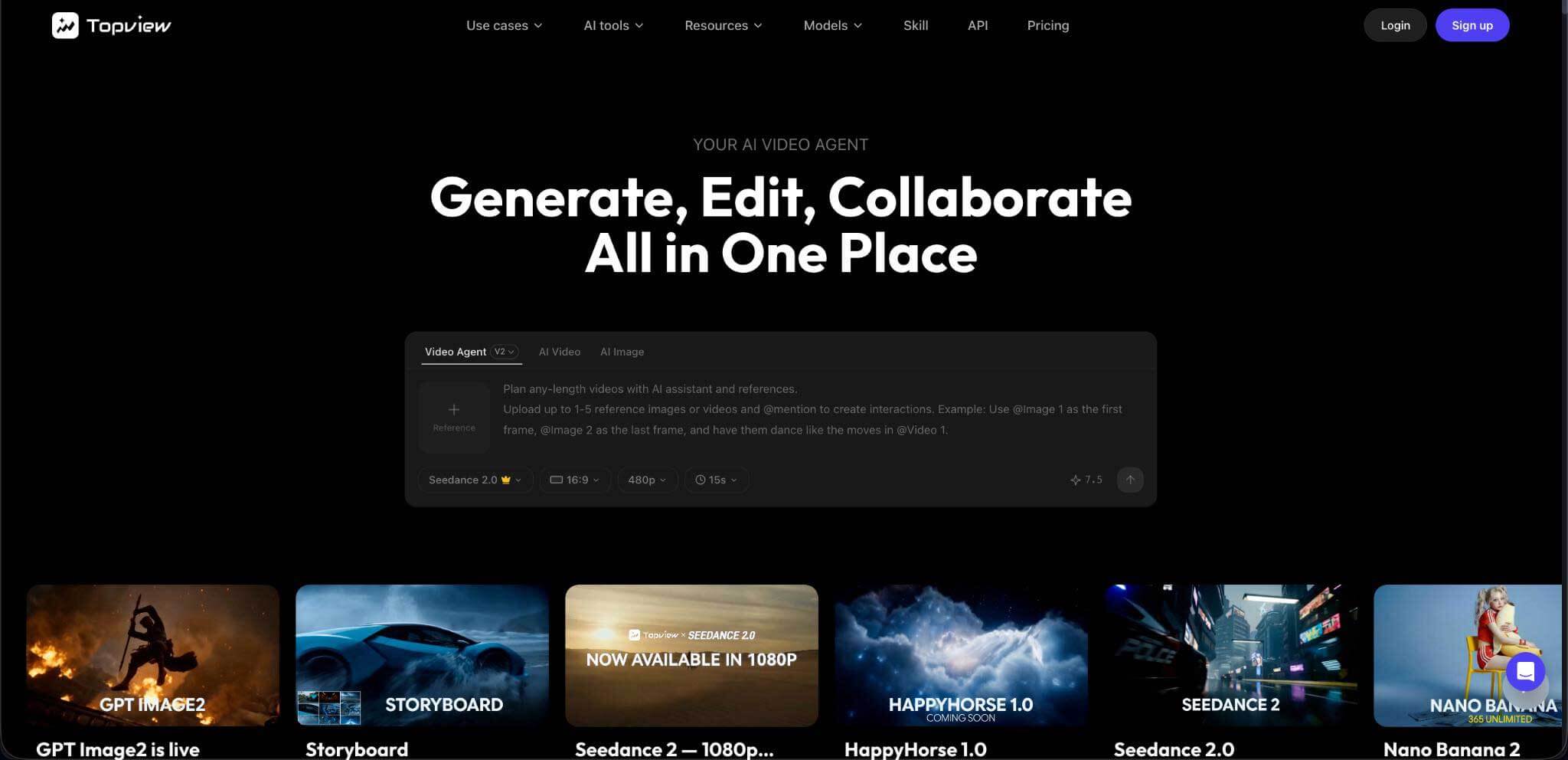
Out of everything I tested, TopView AI delivered the most consistently impressive results for TikTok content. And I've used it enough at this point to say confidently — it's not just the best AI video generator for TikTok, it's the best all-in-one creative platform for anyone making short-form content.
What separates TopView AI from every other tool on this list is simple: it doesn't use stock footage. When you give it a prompt, it generates original video content using multiple state-of-the-art AI models — Seedance 2.5, Sora 2, Kling 3.0, Veo 3.1, and Vidu Q3.
That means when I prompt "a slow-motion shot of coffee being poured into a ceramic mug on a rainy morning," I get exactly that — not a vaguely related stock clip from a footage library that 10,000 other creators are also using.
For TikTok specifically, here's what made TopView AI my #1:
The Creative Studio is a powerhouse: I can generate videos (text-to-video, image-to-video, reference-based), create images for thumbnails, produce AI avatar talking-head videos, clone voices for narration, and remove backgrounds — all from a single dashboard. For TikTok creators, having everything in one place eliminates the need to juggle 5+ different tools.
Marketing Studio for TikTok ads: If you're running paid TikTok campaigns, the Marketing Studio creates ready-to-use ads in minutes. I tested it with a few product briefs, and the output was genuinely ad-ready — proper pacing, hooks, CTAs, everything.
Commerce Studio for product content: For e-commerce TikTok creators, this was a game-changer. I could generate product showcases, virtual try-on content, and commercial visuals without ever touching a camera.
Multiple models = creative flexibility: Different TikTok content types benefit from different AI models. I found that Seedance 2.0 was perfect for realistic product shots and B-roll. Kling 3.0 excelled at character animations and dynamic motion. Veo 3.1 delivered the most cinematic-looking footage for storytelling content. Having all of these accessible from one platform meant I could match the right model to each video's needs.
My test results: I ran 15 different TikTok content scenarios through TopView AI — product reviews, educational explainers, trend-reaction videos, storytelling clips, and faceless content. It delivered publish-ready output for 13 out of 15, with the remaining two needing only minor tweaks. No other tool on this list came close to that hit rate.
Pros:
-
Access to 6+ industry-leading AI video models
-
Generates original footage, not stock clips
-
Full creative suite (video + image + avatar + voice + background removal)
-
Three specialized studios (Creative, Marketing, Commerce)
-
Fast generation — most clips done in under 5 minutes
-
Free plan available
Cons:
-
Advanced model access requires a paid plan
-
Learning curve when exploring all three studios
-
Generation isn't instant (a few minutes per clip)
#2. Dreamina AI: Best for Free Cinematic Clips
Dreamina AI earned its spot here primarily because of one thing: it gives you access to Seedance 2.0 for free — with daily credit limits. For TikTok creators on a tight budget who want genuinely cinematic AI-generated footage, that's a compelling offer.
The CapCut integration is seamless. I could generate a clip in Dreamina, then immediately jump into CapCut for editing — adding trending audio, auto-captions, effects, and text overlays. For creators already in the CapCut ecosystem, this is a natural workflow.
I tested Dreamina with several explainer blog excerpts, and the visual quality was genuinely impressive. Smooth motion, good color grading, and decent lip-sync when I tested with character scenes.
However, I ran into frustrations. Prompt adherence was inconsistent — sometimes Dreamina nailed what I described, other times it went completely off-script. I also had to deal with slow generation times, and the 15-second per-generation limit meant I needed multiple clips for longer TikToks.
Pros:
-
Free daily credits with Seedance 2.0 access
-
Seamless CapCut integration for editing
-
Smooth motion quality in generated clips
Cons:
-
Inconsistent prompt adherence
-
Slow generation at times
-
15-second limit per generation
-
Daily credit limits on free plan
#3. Veed AI: Best for UGC-Style TikTok Content
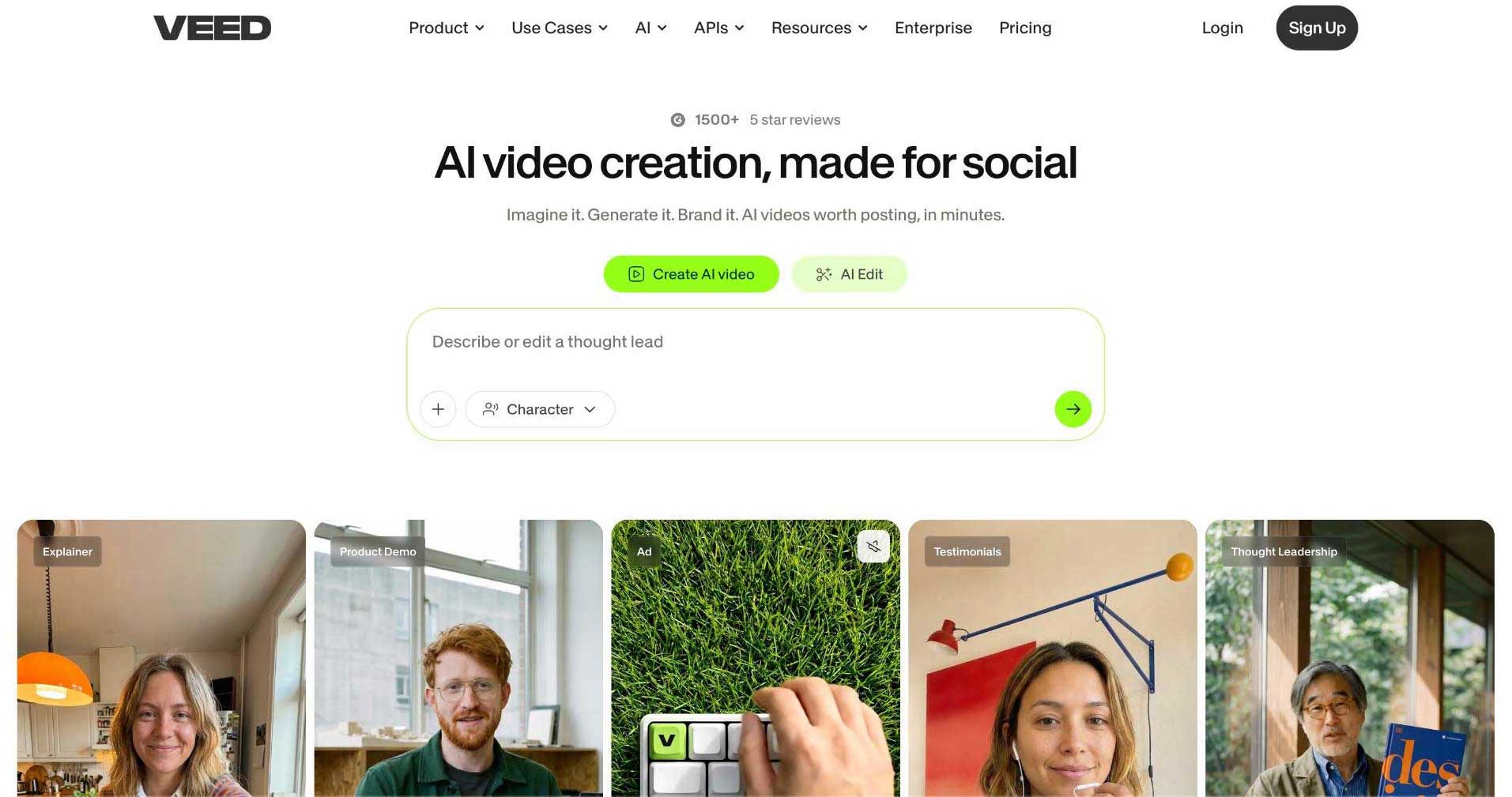
Veed AI isn't the most powerful video generator on this list, but it excels at one thing that matters a lot on TikTok: UGC-style content. Its library of lifelike AI talking avatars is one of the best I've tested.
I used Veed AI to create product review TikToks and promotional clips. The output genuinely looked like real influencer-recorded content — natural expressions, realistic lip-sync, and that authentic handheld feel that performs well on TikTok.
The social video editing features are excellent. Vertical frame is the default, auto-subtitles are highly accurate, and adding branding, text overlays, and background audio takes just a few clicks.
Where Veed AI falls short is creative visual generation. It's great for editing and UGC-style content, but it can't generate the kind of original AI footage that TopView AI produces. If you need anything beyond talking-head and stock-footage-based content, you'll hit its limits quickly.
Pros:
-
Excellent UGC-style AI avatars
-
Social-optimized video editing
-
Highly accurate auto-subtitles
-
Native vertical format
Cons:
-
Limited as a raw video generator
-
Not suited for creative/cinematic content
-
Stock footage dependency for non-avatar content
#4. Adobe Firefly: Best for Clean, Commercially Safe B-Roll
Adobe Firefly AI is the tool I'd recommend for TikTok creators who need commercially safe, brand-ready footage. Everything generated by Firefly is cleared for commercial use — no copyright concerns, no content flags.
I tested Firefly primarily for creating B-roll footage for product-focused TikToks. The prompt adherence was surprisingly accurate — when I described specific camera angles, lighting conditions, and compositions, Firefly followed those directions closely.
The image-to-video capability produced more believable results than text-to-video. I'd recommend having reference images ready for the most natural-looking output.
Integration with Premiere Pro is a bonus for creators who already use Adobe's ecosystem. But for most TikTok creators, the biggest dealbreaker is the 5-second clip limit per generation. For a platform built on 15-60 second videos, that means you need multiple generations stitched together for a single TikTok.
Pros:
-
Commercially safe — no copyright issues
-
Accurate prompt adherence
-
Good camera/angle control
-
Premiere Pro integration
Cons:
-
5-second clip limit per generation
-
Text-to-video can look artificial
-
Not suited for fast-paced TikTok production
-
Subscription pricing through Adobe
#5. Vidfly AI: Best for One-Click TikTok Shorts
Vidfly AI targets creators who want the absolute simplest path from idea to published TikTok. The interface is designed for beginners — select your preferences (style, music, captions, voiceover), paste your script, and get a video.
I tested it with several product promotion scripts, and the speed was impressive. Within a few clicks, I had a watchable TikTok draft with background music, captions, and transitions.
The long-to-short video converter is useful for repurposing existing content. I fed it a 5-minute YouTube video, and it automatically extracted the most engaging segments for TikTok-length clips.
However, the visual quality was hit-or-miss. Some generations looked polished; others had obvious flaws. For simple TikTok promos and teasers, Vidfly AI works. For anything requiring visual sophistication, you'll be better served by TopView AI.
Pros:
-
One-click video generation
-
Beginner-friendly interface
-
Long-to-short video converter
-
Fast generation speed
Cons:
-
Inconsistent video quality
-
Limited customization options
-
Not suited for complex visual content
-
Can't match dedicated AI generators' output quality
#6. Medeo AI: Best for Conversational Storytelling TikToks
Medeo AI takes a unique approach — the entire creation process happens through a chat interface. Instead of navigating dashboards and settings, you describe what you want in conversation, and the AI agent builds your video.
For TikTok storytelling content, this approach works surprisingly well. I pasted a few explainer blog posts and asked the agent to turn them into engaging TikToks. It handled storyboarding, narration, visual selection, transitions, and even camera movements.
The iterative editing via chat is genuinely convenient. "Speed up the intro," "add more dramatic pauses," "change the background music to something more intense" — the agent responded to all of these naturally.
But consistency was an issue. Some scenes looked great; others felt generic. I often needed 3-4 iterations before the output matched my vision. For creators who don't mind the back-and-forth, Medeo AI can produce good results. For those who want fast, reliable output, TopView AI is more efficient.
Pros:
-
Intuitive chat-based creation/editing
-
Good for narrative and storytelling content
-
Handles multi-scene storyboarding
-
Natural language editing commands
Cons:
-
Inconsistent visual quality
-
Requires multiple iterations
-
Limited customization beyond chat commands
-
Slower overall workflow than direct tools
#7. InVideo AI: Best for URL-to-Video Automation
InVideo AI rounds out this list with its strongest feature: the ability to paste a blog URL and get back a complete TikTok-ready video. For content repurposing at scale, this workflow is hard to beat in terms of raw speed.
I tested InVideo AI with several blog post URLs, and it consistently delivered complete videos within 90 seconds — script, visuals, voiceover, music, and captions all included. The AI chat agent also lets you iterate after generation, which adds a layer of creative control.
The dedicated TikTok template is useful — it automatically formats for vertical, adds captions in TikTok-native style, and paces content for short attention spans.
Where InVideo AI struggles is originality. The output is noticeably template-driven, and the stock footage feels recycled across different videos. For faceless TikTok channels pumping out high-volume content, it's serviceable. For creators who want to stand out, the visual sameness becomes a liability.
Pros:
-
URL-to-video in under 90 seconds
-
AI chat agent for iterative editing
-
Dedicated TikTok template
-
Good for high-volume content repurposing
Cons:
-
Template-heavy visual style
-
Stock footage feels recycled
-
Pricing is steep for starter tier
-
Limited creative differentiation
Which AI Video Generator Should You Use for TikTok: My Personal Take
I've tested more than 20 AI video generators over the past year, and my ranking hasn't changed: TopView AI is the best AI video generator for TikTok in 2026, and the distance between it and the second-best option is significant.
The core reason is straightforward — TopView AI generates original AI footage using multiple state-of-the-art models, while virtually every competitor relies on stock footage libraries. On TikTok, where the algorithm rewards novelty and visual engagement, original content has a measurable advantage over recycled stock clips.
But beyond raw video generation, TopView AI's all-in-one creative suite means I don't need separate tools for images, voiceovers, avatars, background removal, or product photography. Everything lives in one platform, which dramatically speeds up my content production workflow.
My recommended workflow for TikTok creators:
-
Script your idea — use TopView AI's AI to generate or refine a script
-
Generate visuals — use the Creative Studio with the model that matches your content style
-
Add voiceover/avatar — use built-in voice cloning or AI avatar features
-
Publish — export in 9:16 with captions and post directly to TikTok
If budget is a constraint, start with TopView AI's free plan. It gives you enough credits to test the platform and see the quality difference firsthand. Once you experience AI-generated original footage vs. stock clips, there's no going back.
FAQs
What's the best AI video generator for TikTok?
TopView AI is the best AI video generator for TikTok in 2026. It provides access to multiple top-tier AI models (Seedance 2.0, Veo 3.1, Kling 3.0, Sora 2) to generate original video footage, plus a full creative suite covering images, avatars, voice cloning, and more — all optimized for short-form content creation.
Can AI-generated videos go viral on TikTok?
Yes. TikTok's algorithm prioritizes content quality and engagement over production method. AI-generated videos from tools like TopView AI are now visually indistinguishable from professionally shot content, and many viral TikToks in 2026 are partially or fully AI-generated.
Do I need a paid plan to create TikTok videos with AI?
Not necessarily. TopView AI offers a free plan with enough credits to test AI video generation. Other tools like Dreamina AI and Canva AI also have free tiers. However, for consistent daily posting with premium AI models, a paid plan will provide significantly better output quality and higher volume.
Which AI video generator is best for TikTok product reviews?
TopView AI's Commerce Studio is specifically designed for product content — including product showcases, virtual try-ons, and commercial visuals. For UGC-style product reviews specifically, Veed AI's talking avatars also produce convincing results.
How long does it take to create a TikTok video with AI?
With TopView AI, most TikTok videos can be generated in 3-5 minutes from prompt to finished output. Simpler tools like InVideo AI can produce drafts in under 90 seconds, though the output quality and originality are lower. The key time savings come from eliminating manual filming, editing, and formatting.